Introduction
The WYO system serves as the core infrastructure for managing user accounts, permissions, and data access. This article outlines the step-by-step process for users to register on our backend system. By following these instructions, you can securely create accounts and begin utilizing the full range of features offered by WYO.
Prerequisites
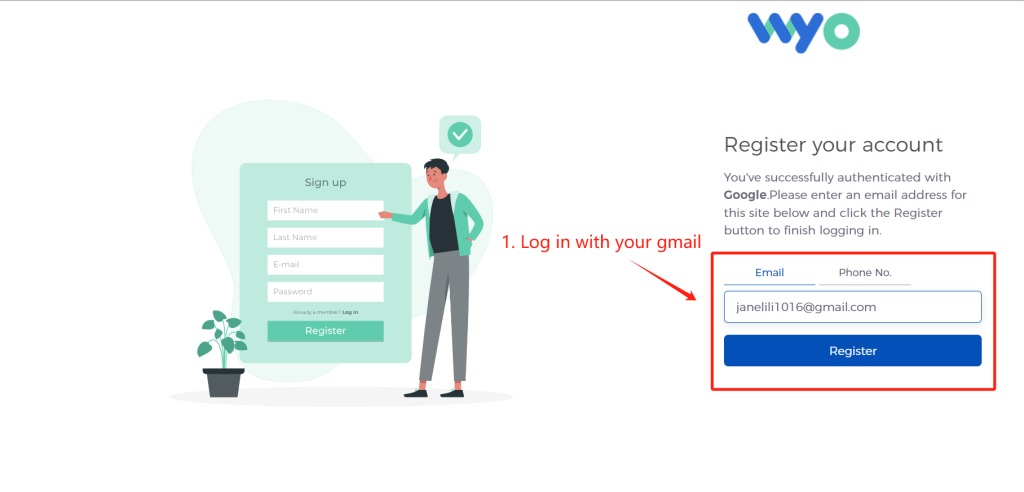
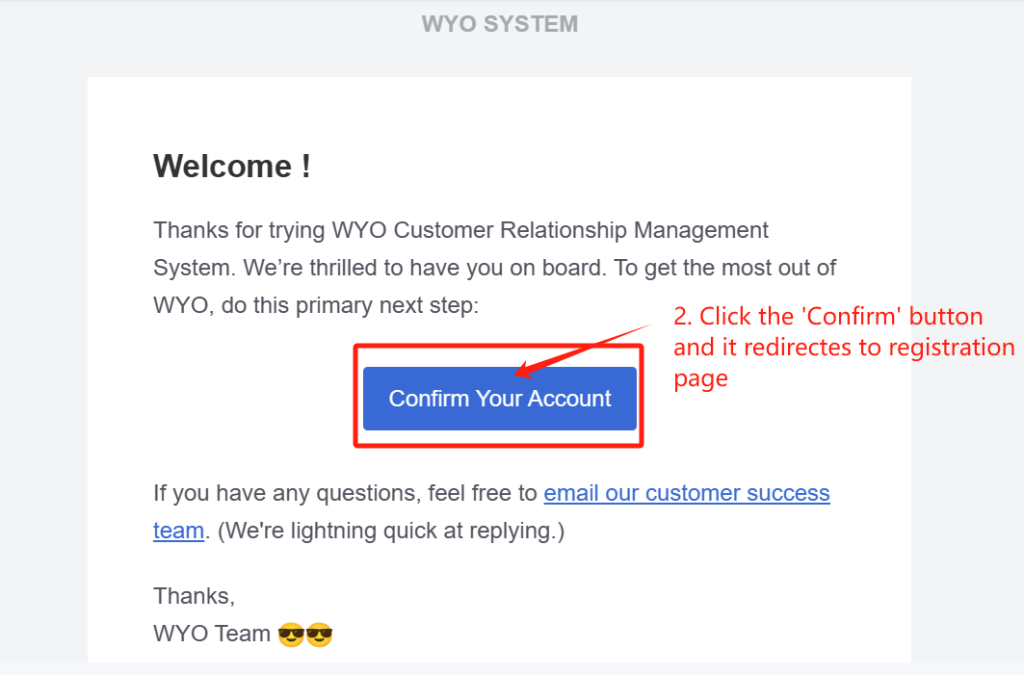
Before proceeding with the registration process, please ensure you have the Google email to log in successfully. Once you confirm in your email, you will be directly redirected to the registration page.
Post-Registration Steps
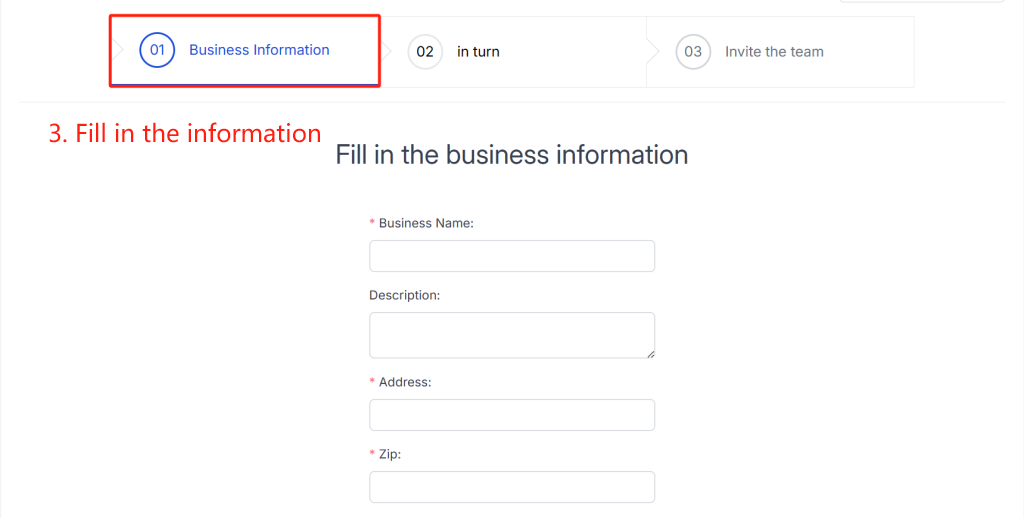
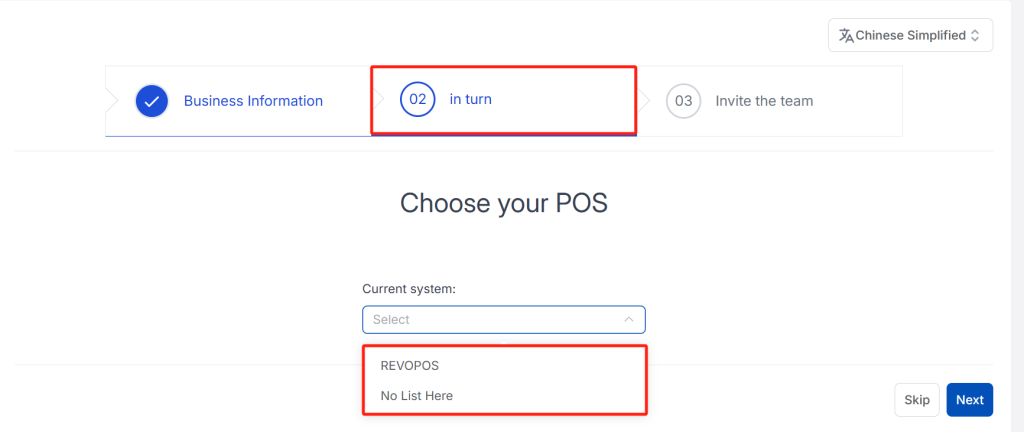
After successfully registering and logging in to your account, you may be prompted to complete additional setup steps such as:
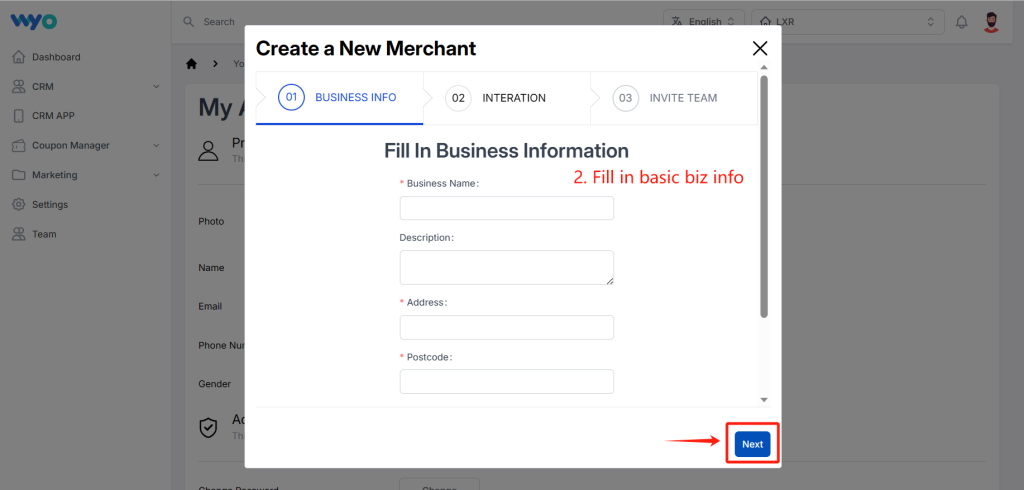
- Setting up your business information.
- Adding current system (if applicable).
- Inviting team members to collaborate on your account.
- Configuring access permissions and roles.
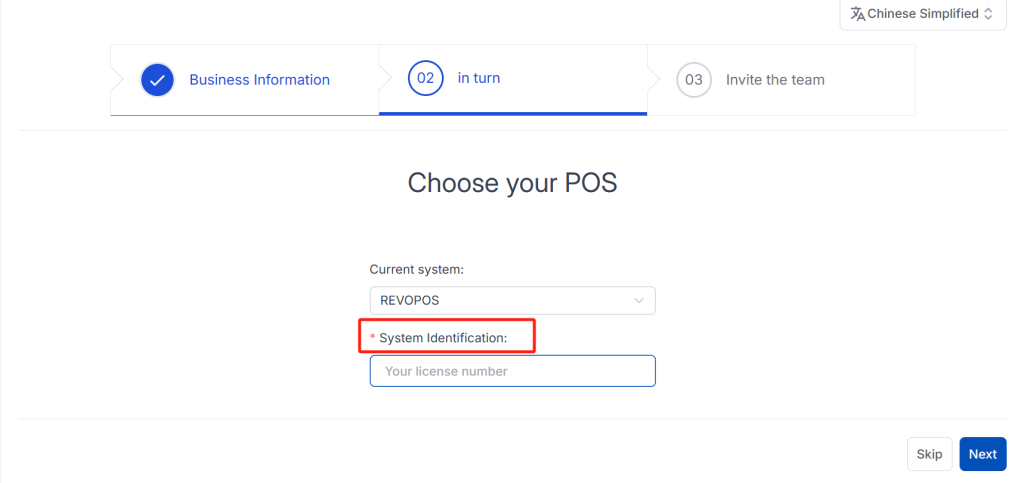
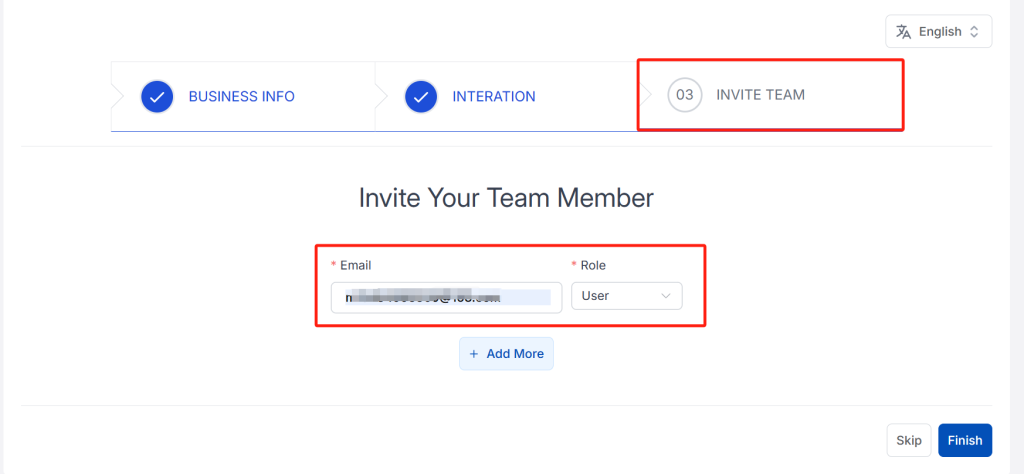
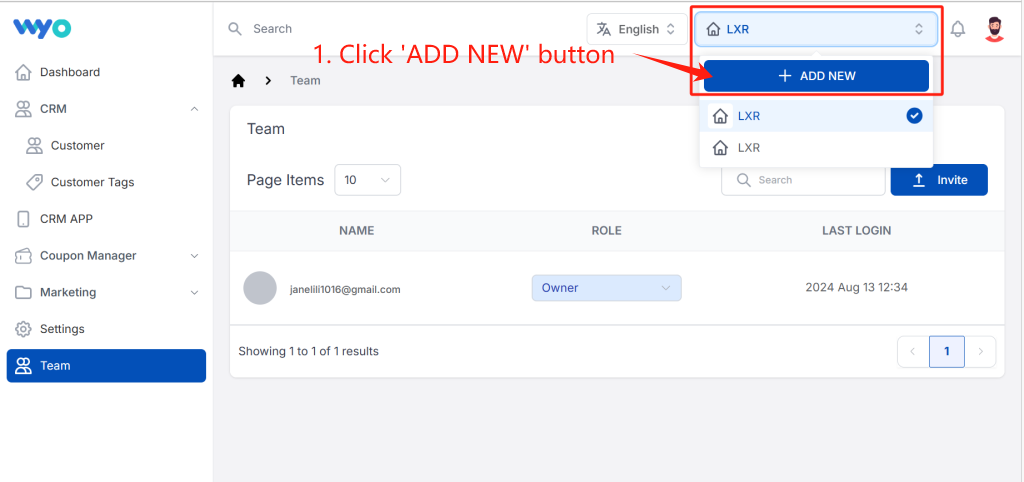
How to Create a Merchant?
- Look for the “+ADD NEW” button. Click on it to initiate the merchant creation process.
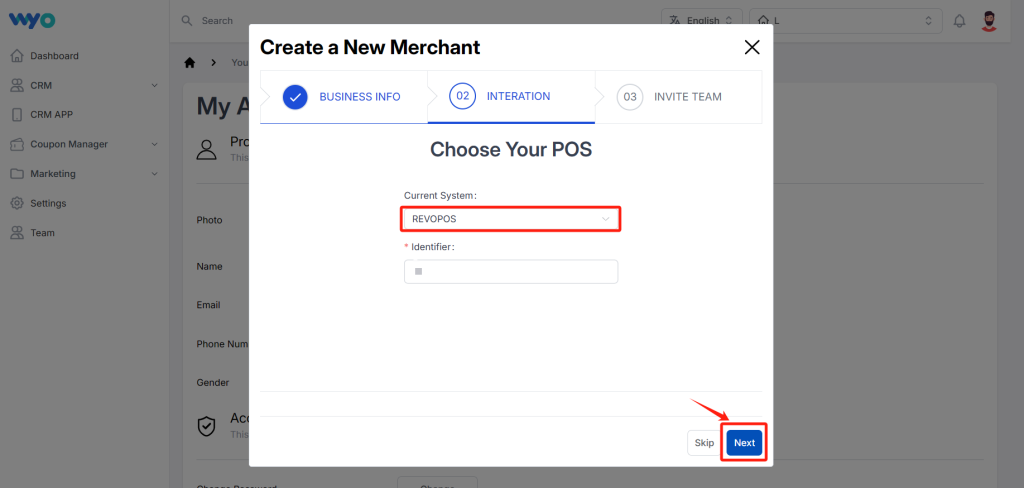
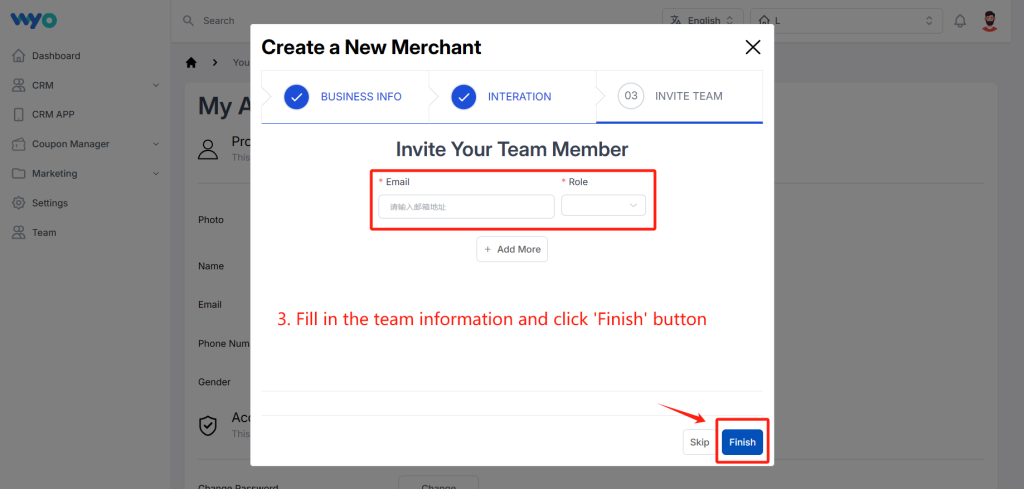
How to invite other users to manage the merchant?
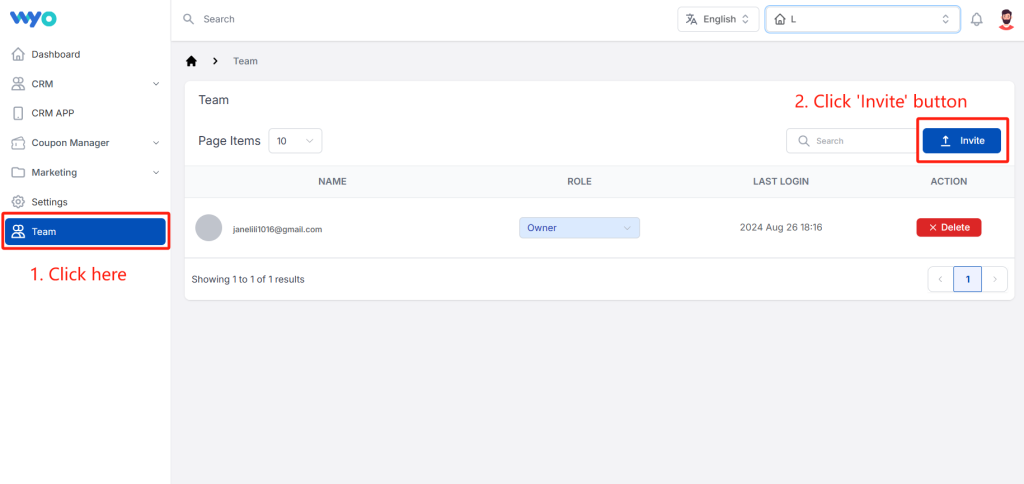
1. Click ‘Team’ button and then click ‘Invite’.
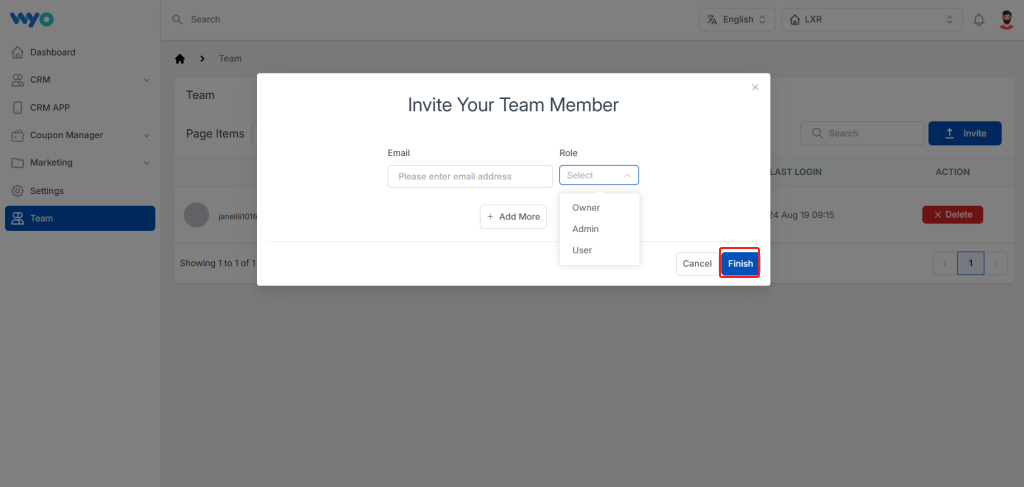
2. Fill in the email of your team member and select their roles, then click ‘Finish’ button.
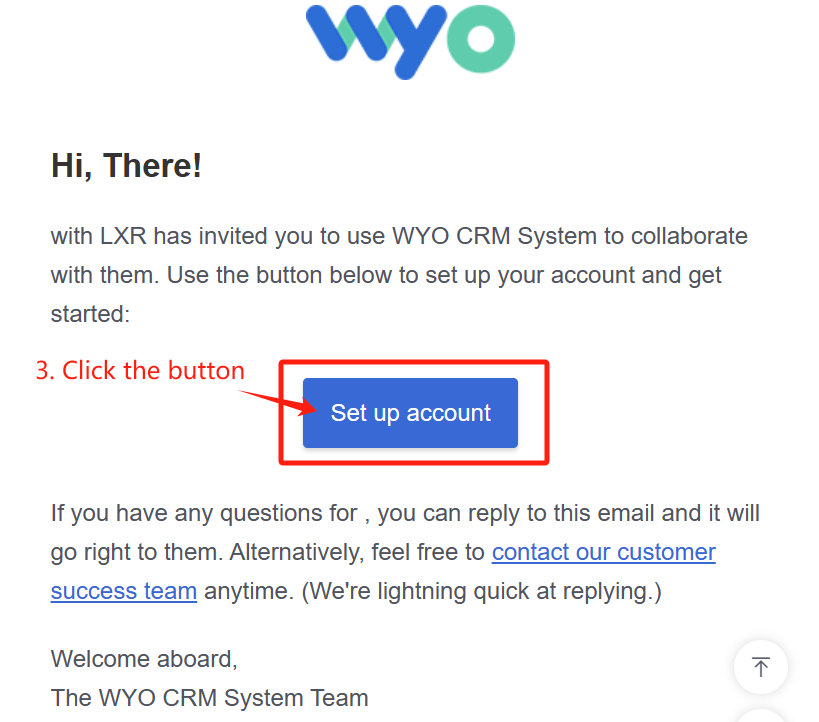
3. For the member who is invited, open the email box and click the ‘Set up account’ button
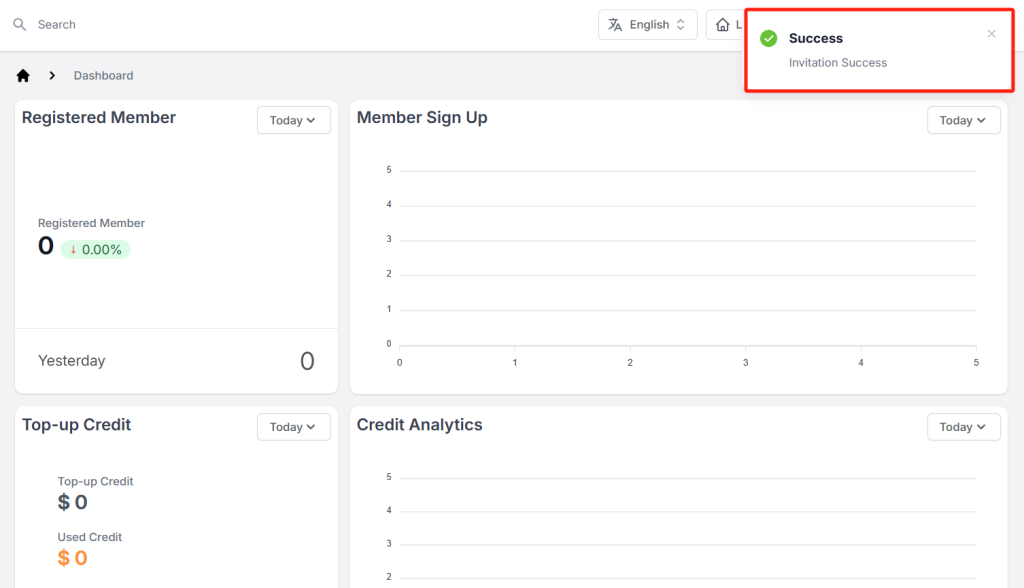
4. Then, the invitation process is successfully finished.
How to fill in shop details?
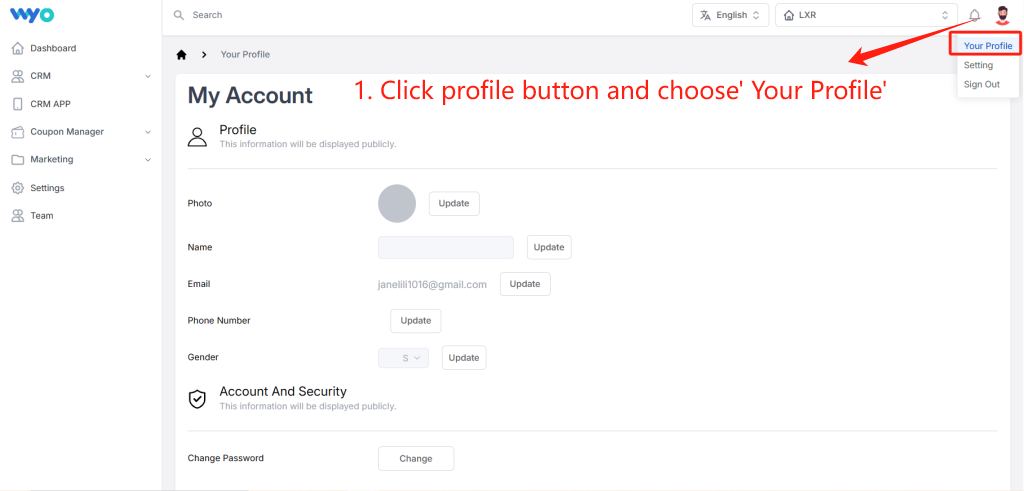
- Photo: Upload your restaurant’s logo. Ensure the logo is of high quality and meets the system’s file size and format requirements.
- Name: Enter the name of your restaurant as it should appear on the platform.
- Social Account: Provide your google account, Weixin account and website URL (if applicable).
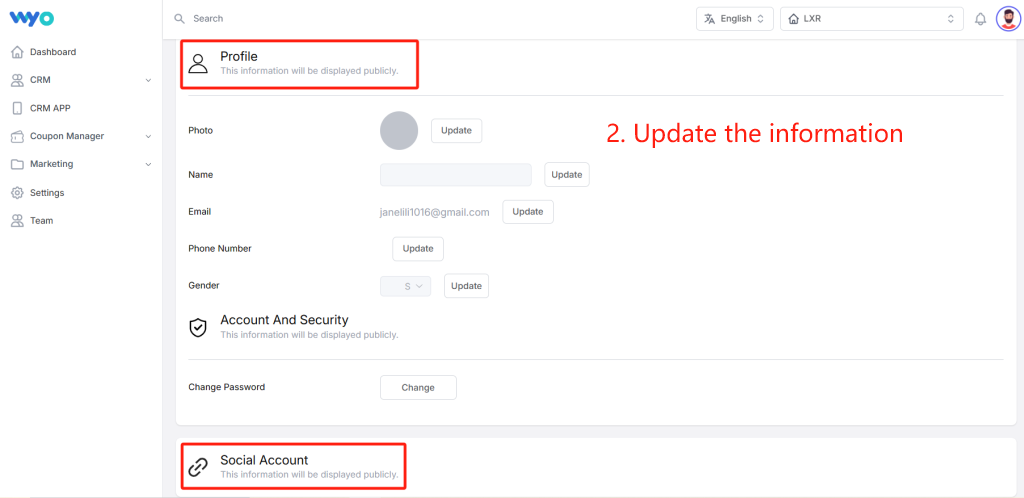
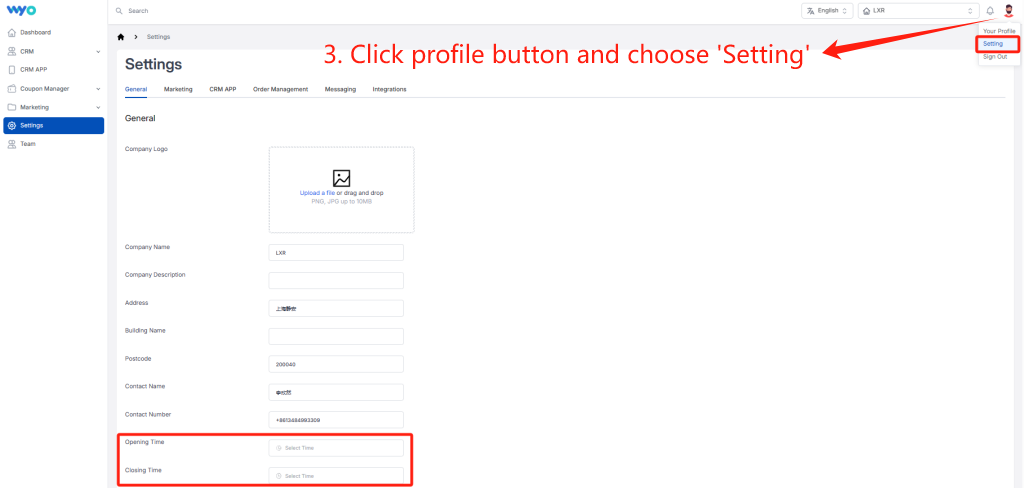
- Set up the information of your merchant, such as opening/closing time, address, contact number, etc.
Conclusion
Congratulations on successfully registering for WYO!!!
By following these steps, you have taken the first step towards leveraging our powerful features and capabilities. If you encounter any issues during the registration process or have any questions, please don’t hesitate to contact our support team for assistance.
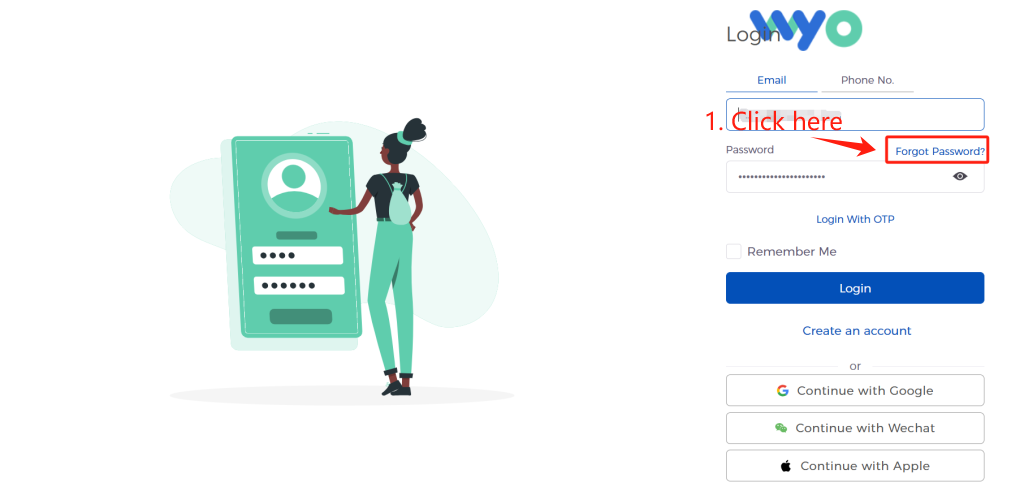
- Visit the Login Page and click on “Forgot Password”
- You may be asked to enter your Email address or Phone No. associated with the account
- Ensure you enter the information accurately to ensure the reset instructions are sent to the correct location.
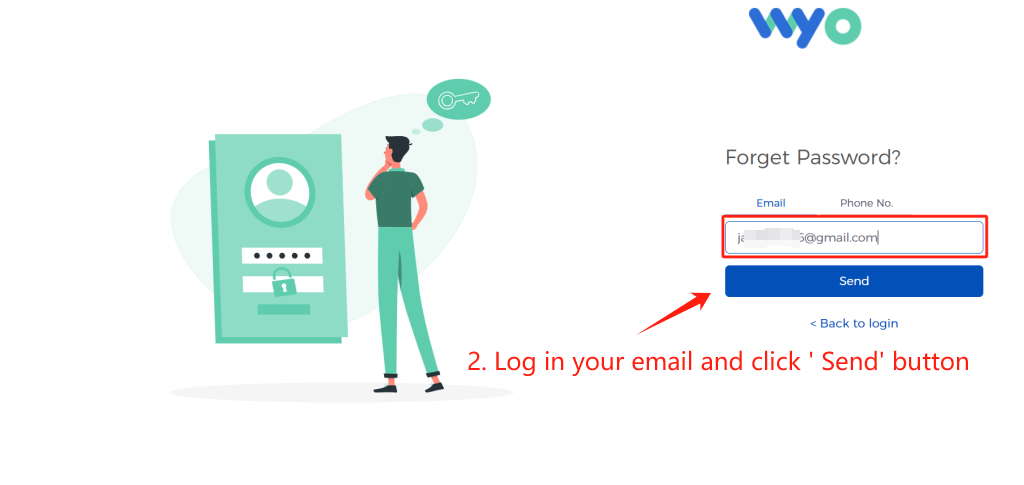
2. please check your email and reset password, then the whole process is completed.