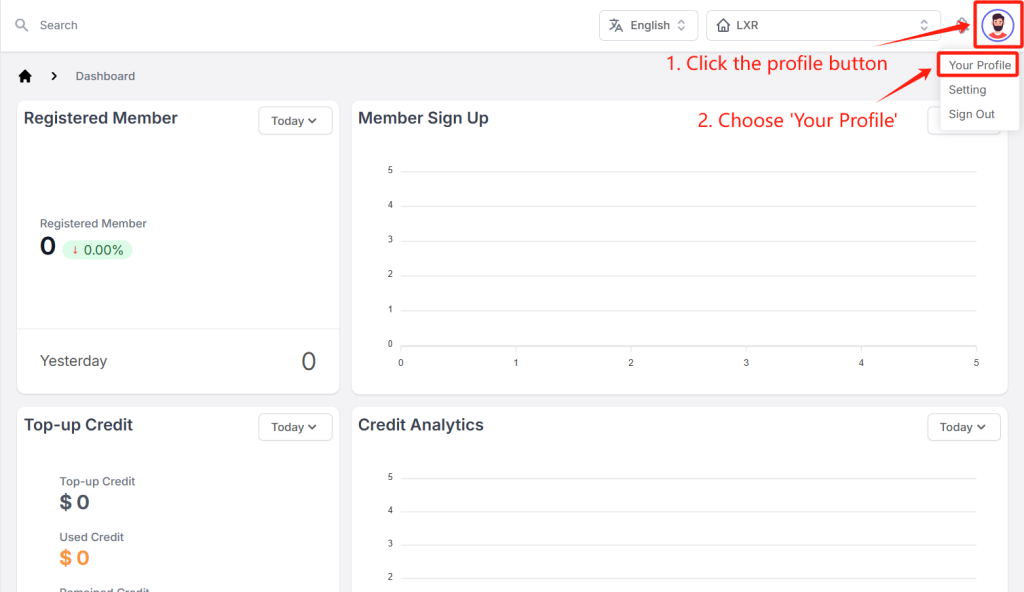
- 1. Click the avatar button in the upper right corner and select ‘Your Profile’.
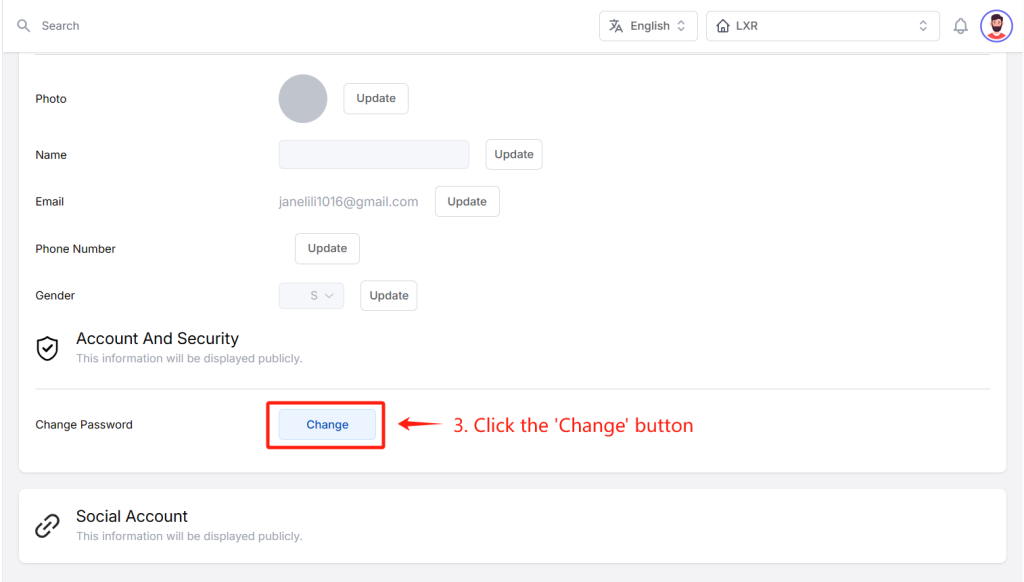
- 2. Click the ‘change’ button at the bottom of the page.
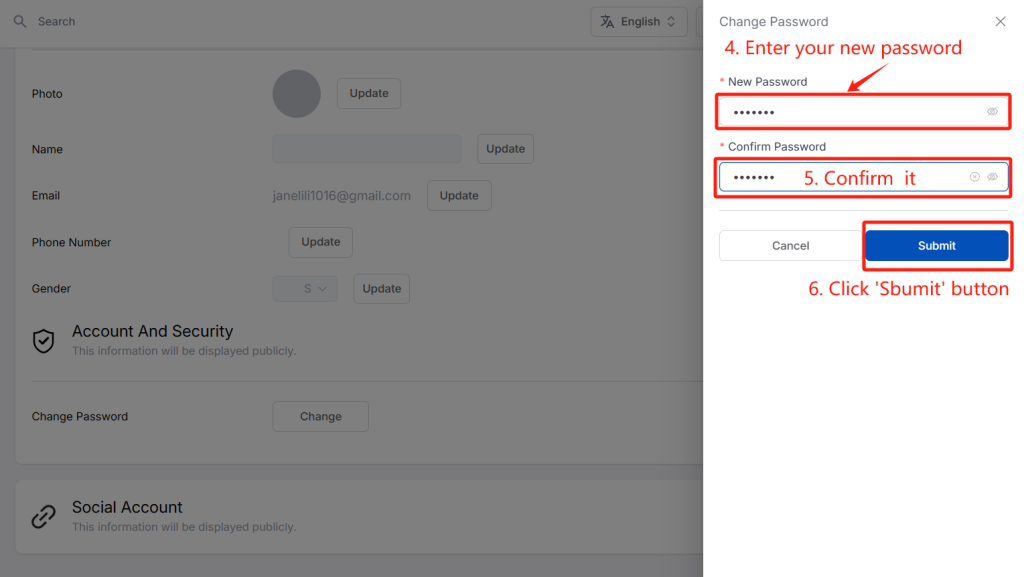
- 3. Reset your password and confirm it.
How to link a third-party account?
Linking third-party accounts enhances user experience by facilitating social sharing, enjoying a seamless experience across different platforms and services and so on.
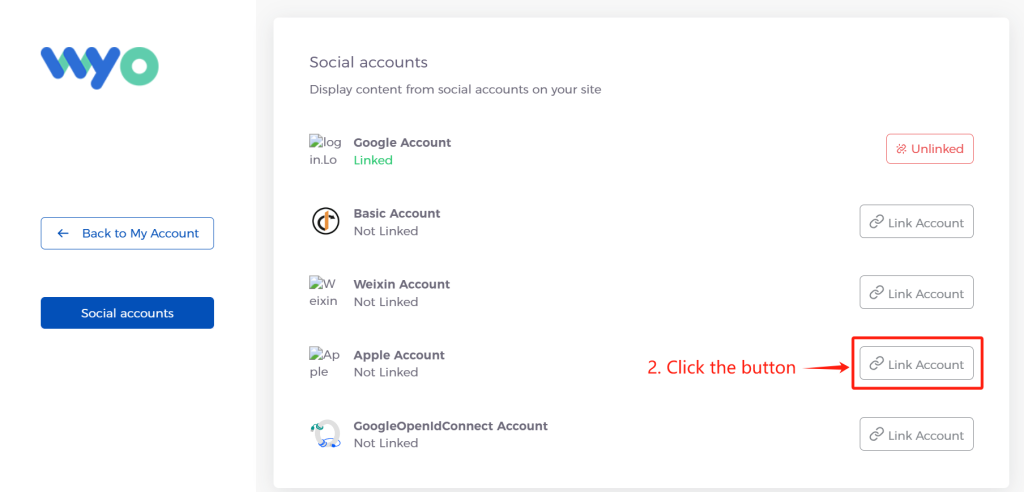
You will see a list of third-party accounts, such as WeChat, Google, Apple etc. Select what you want to link according to your needs.
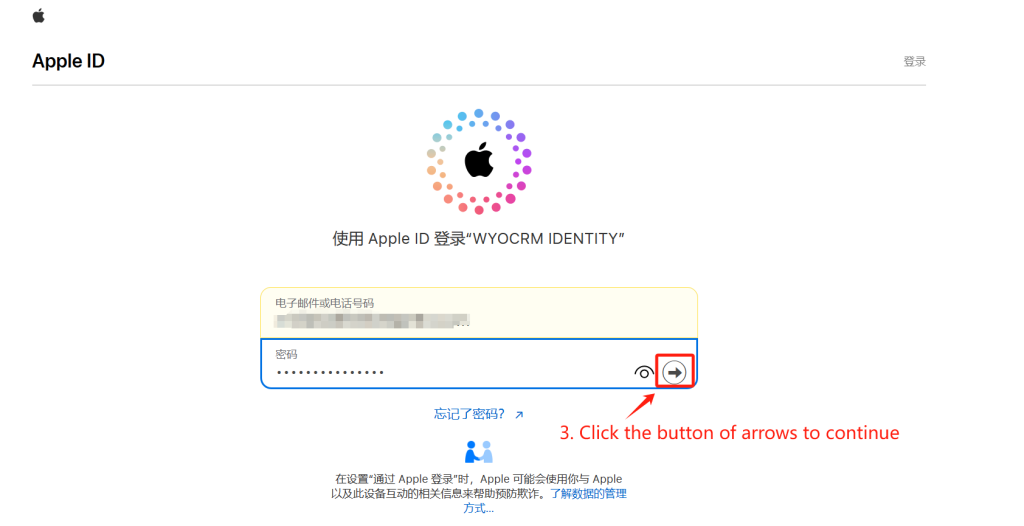
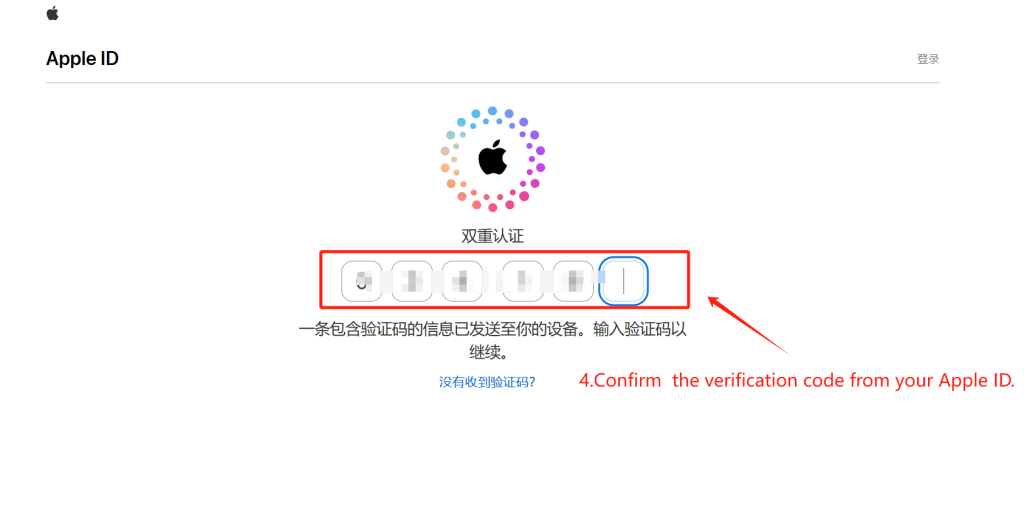
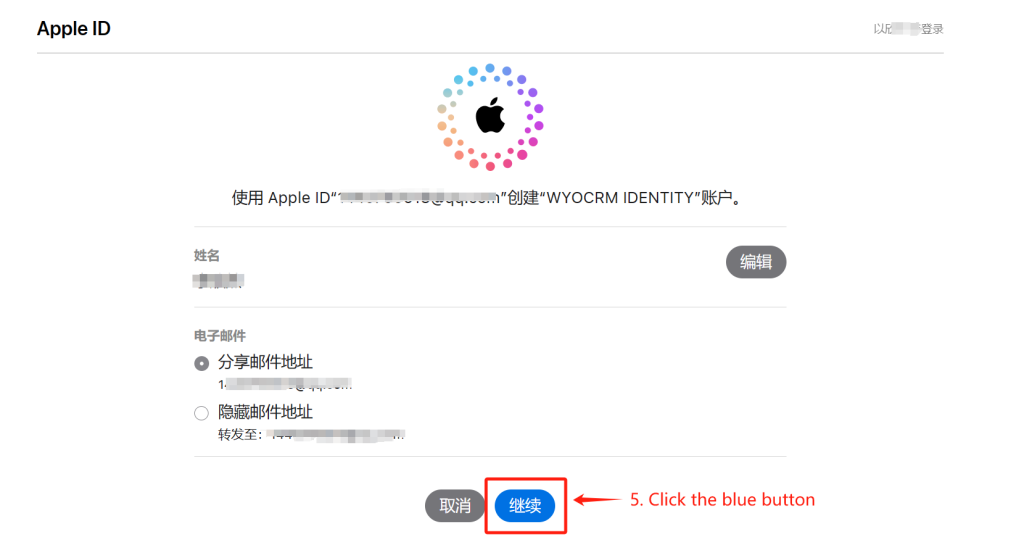
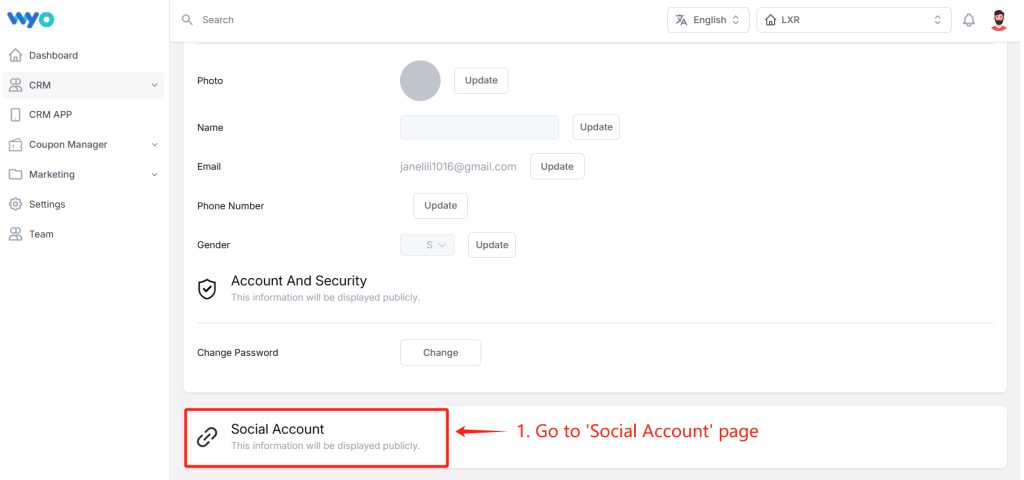
- 1. Go to the ‘Social Account’ page and click the button of the third-party account. (eg. Apple)
- 2. Follow the prompts to complete the binding operation.