Would you be interested in integrating your Whatsapp account with WYOCRM for enhanced connectivity? Below are the straightforward steps you can follow to accomplish this.
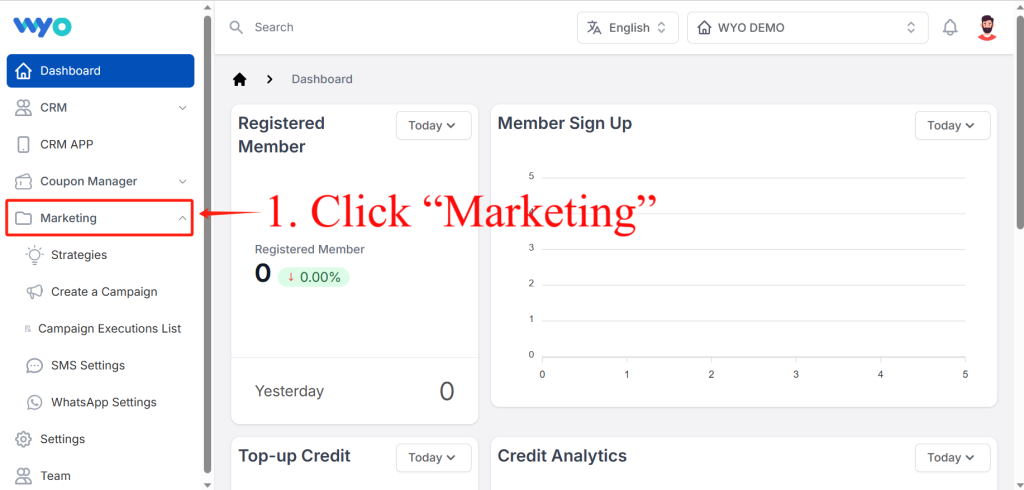
Firstly, click on “Marketing” button in the left-hand column to get started. Upon pressing the button, an array of five options unfolds: ” Strategies” “Create a Campaign” “Campaign Executions List” “SMS Settings” “WhatsApp Settings”.
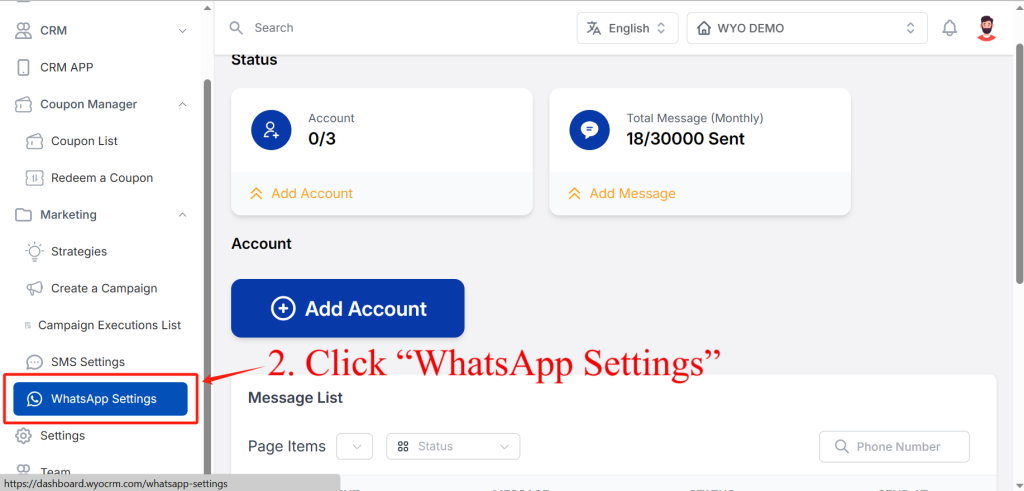
Then, among the five options, select “WhatsApp Settings”.
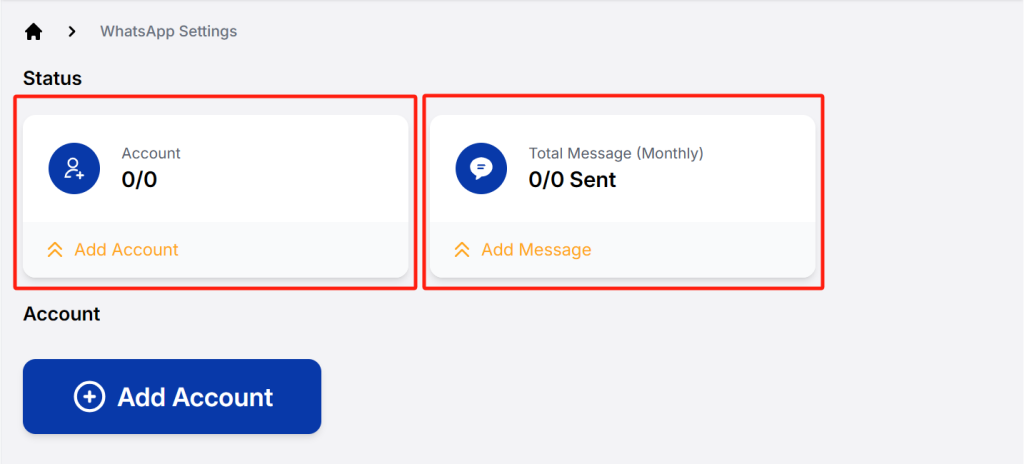
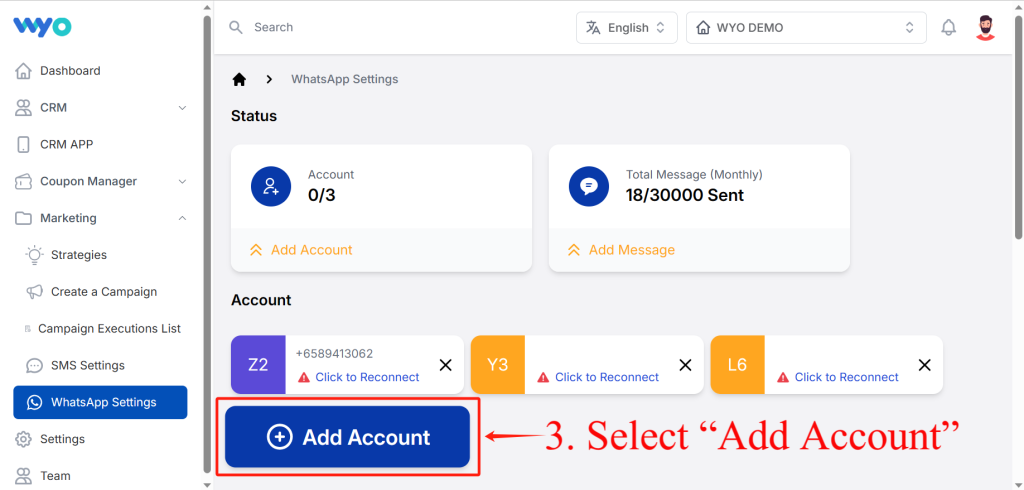
Thirdly, continue to click on ” Add Account”
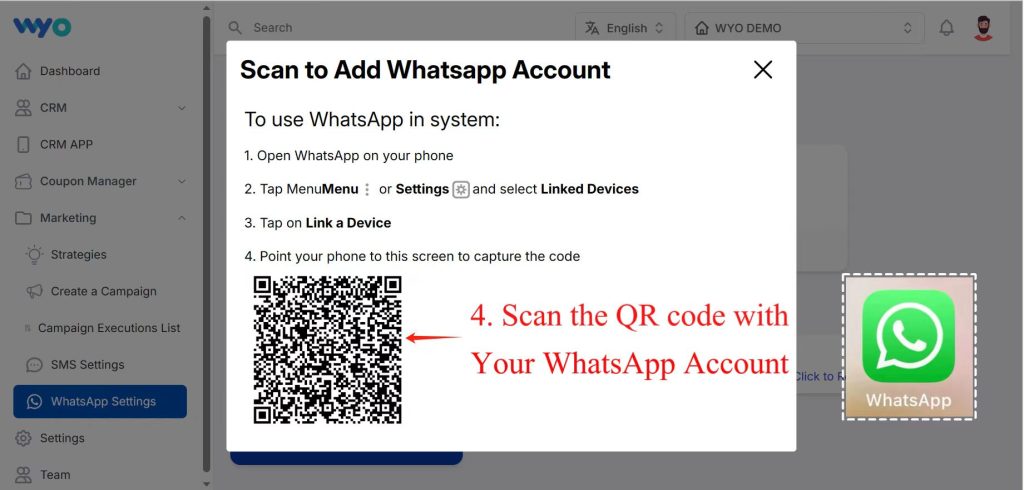
Lastly, open WhatsApp on your phone, direct your phone’s camera towards this screen to scan the QR code, ensure you’re logged in on your device, and with that, all the steps are successfully completed.
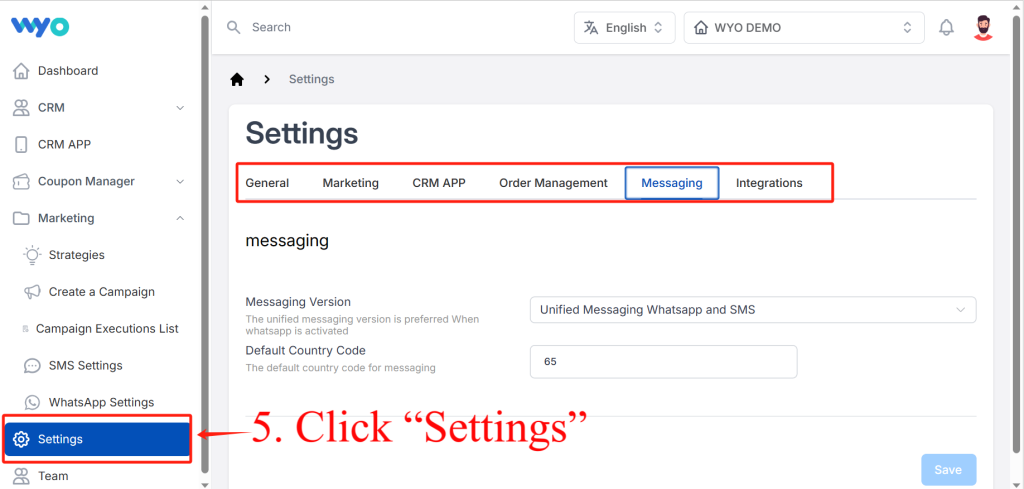
Fifthly, click on “Settings” button in the left-hand column. Then you will be presented with six distinct options on the interface: “General” “Marketing” “CRM APP” “Order Management” “Messaging” and “Integrations”, each tailored to address specific aspects of your needs.
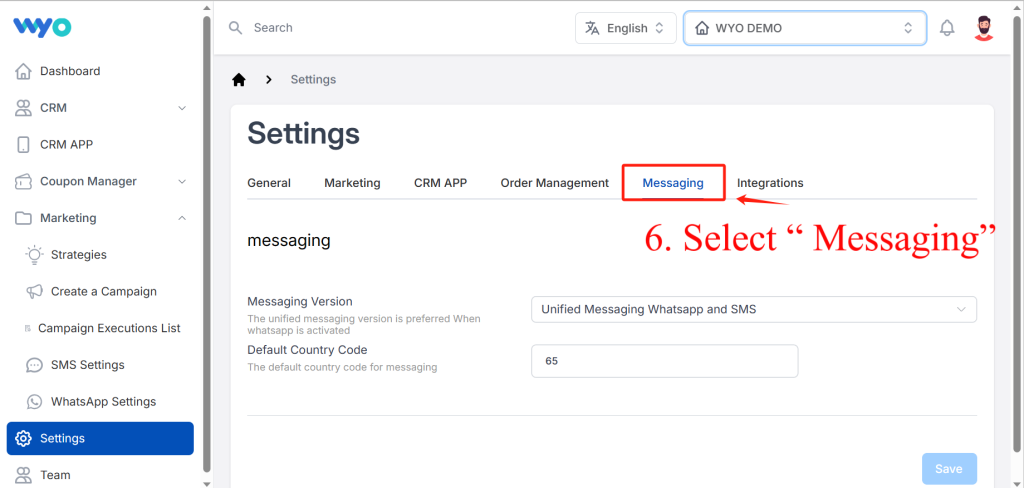
Sixthly, among the six options, select “Messaging”.
Furthermore, kindly update the “Messaging Version” to “Unified Messaging WhatsApp and SMS”. Simultaneously, if this is your initial activation of WhatsApp, we highly recommend adopting the same setting of “Unified Messaging WhatsApp and SMS” to ensure seamless integration.
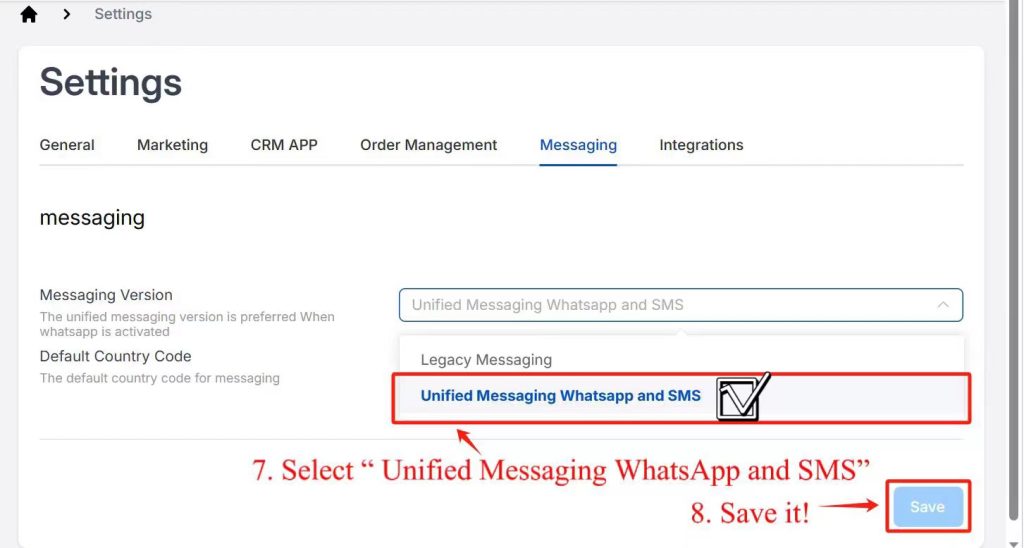
Last but not least, click the “Save” button, and all the necessary steps have been successfully completed.