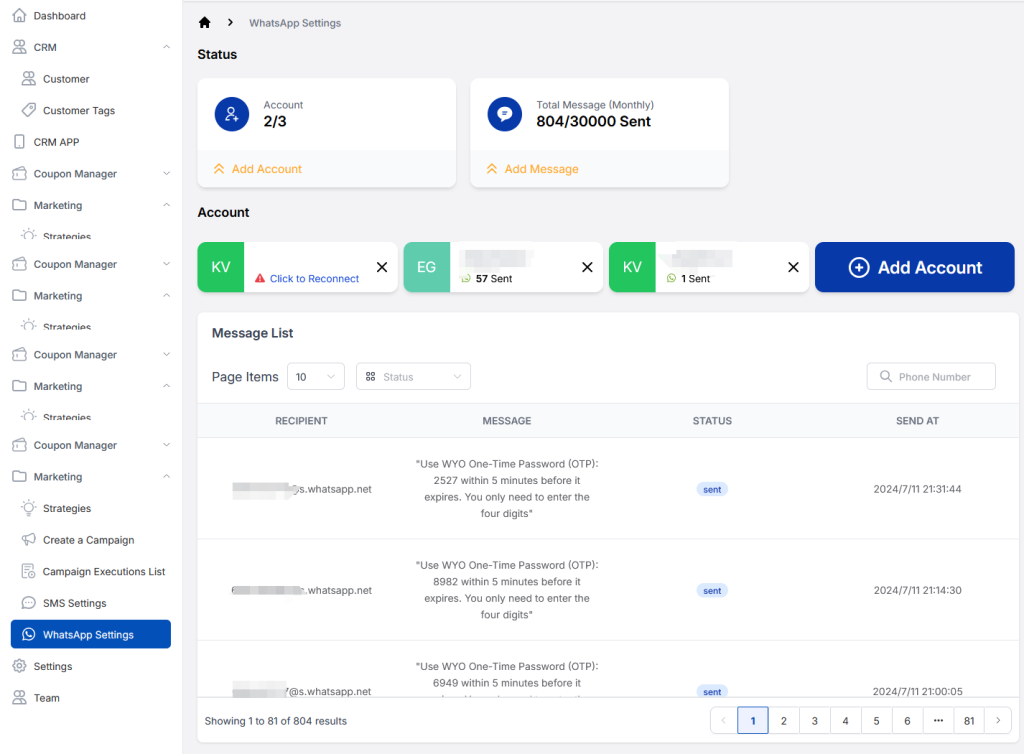
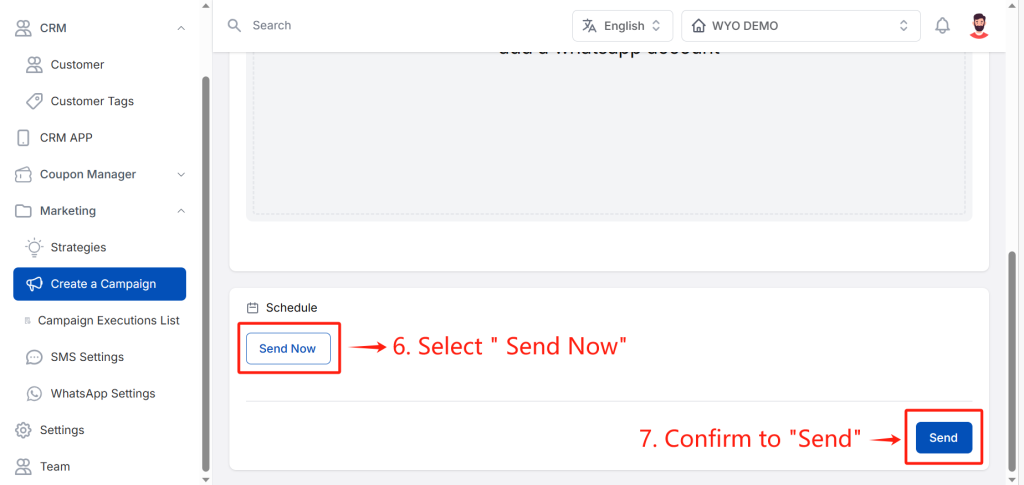
Are you interested in learning how to launch a successful campaign on WYO? The navigation panel below will give you some insights.
Why Create a Campaign?
The purpose is to filter customers, subsequently delivering tailored information to those who meet criteria. This refined approach ensures that the marketing messages effectively reach the intended audience.
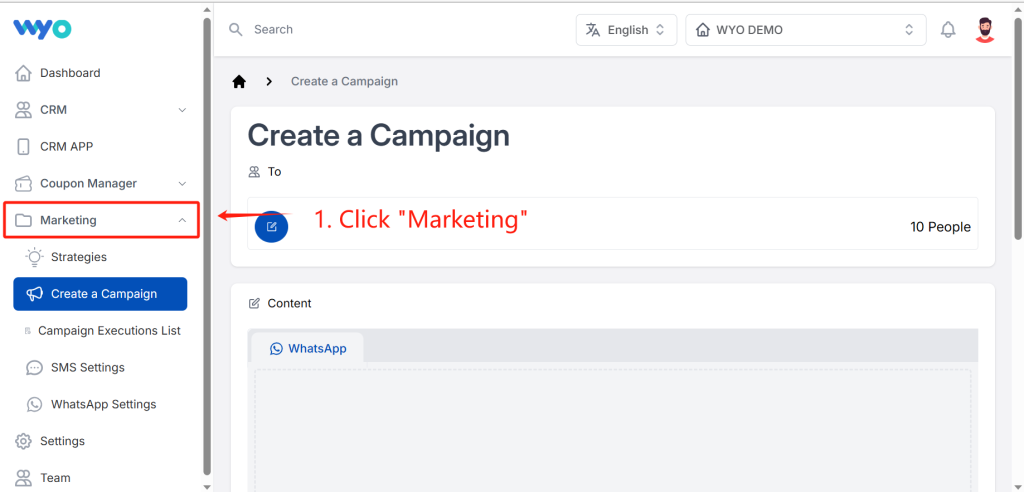
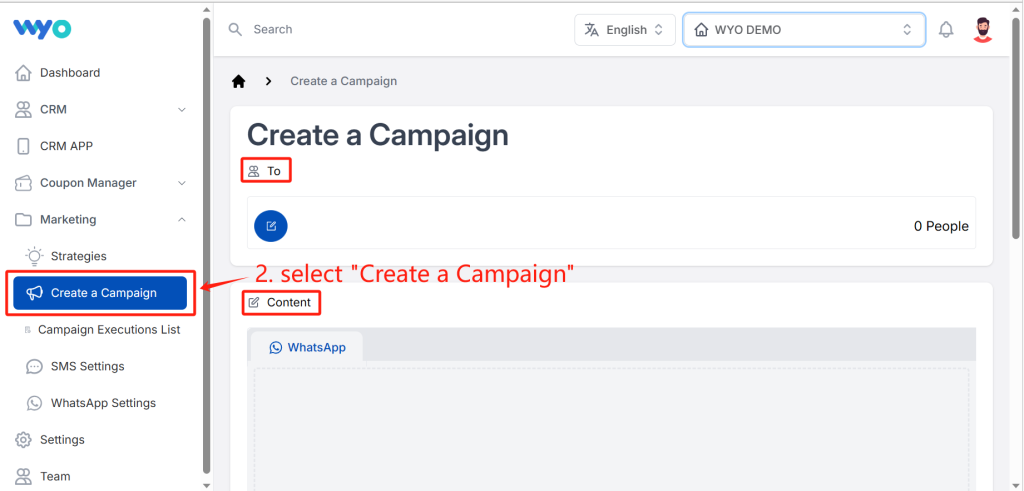
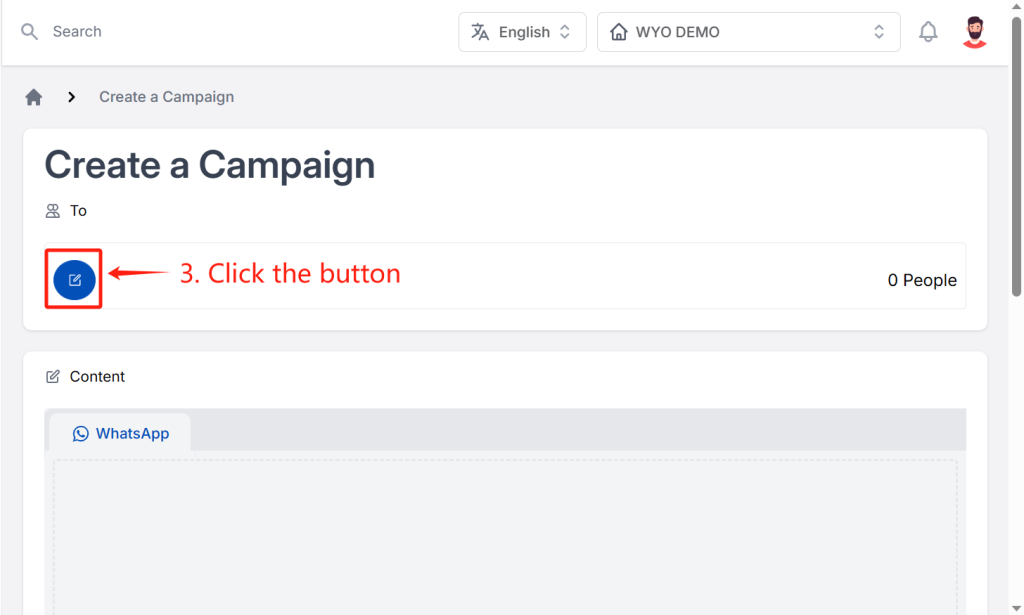
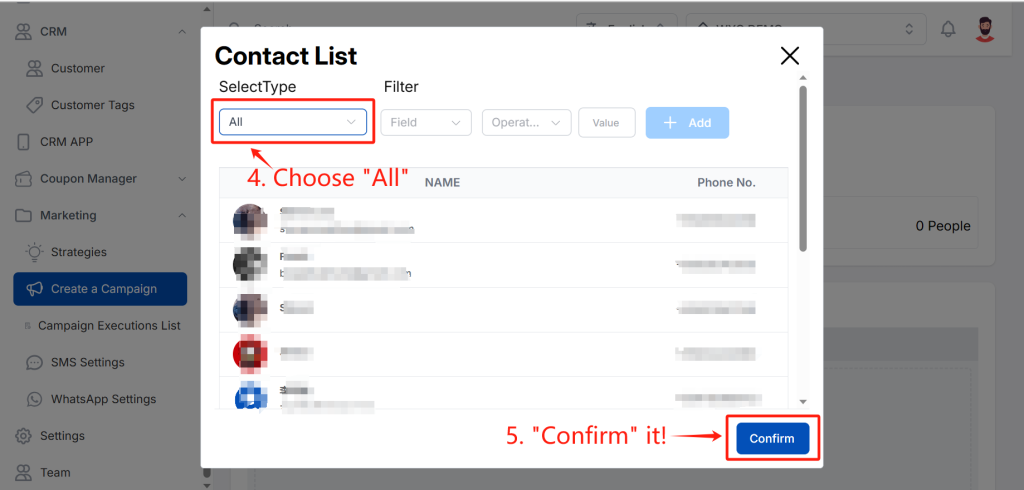
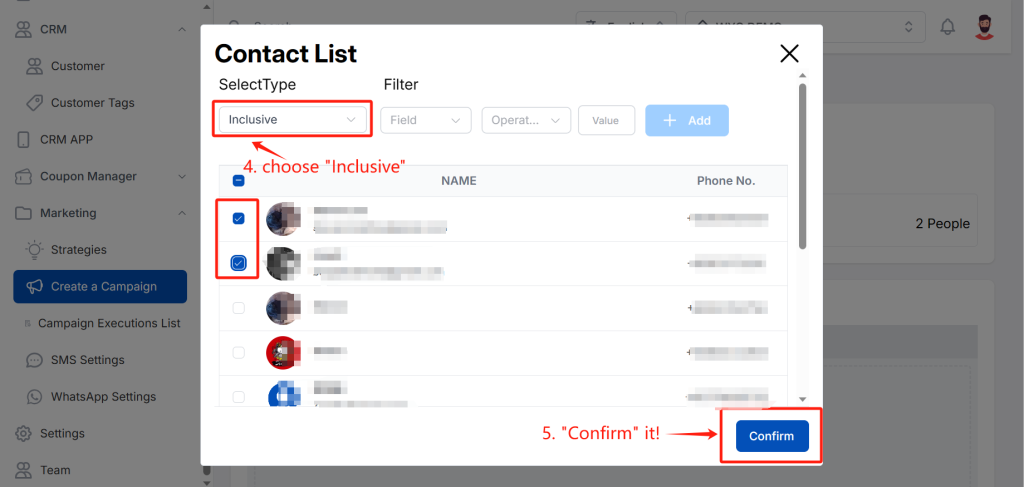
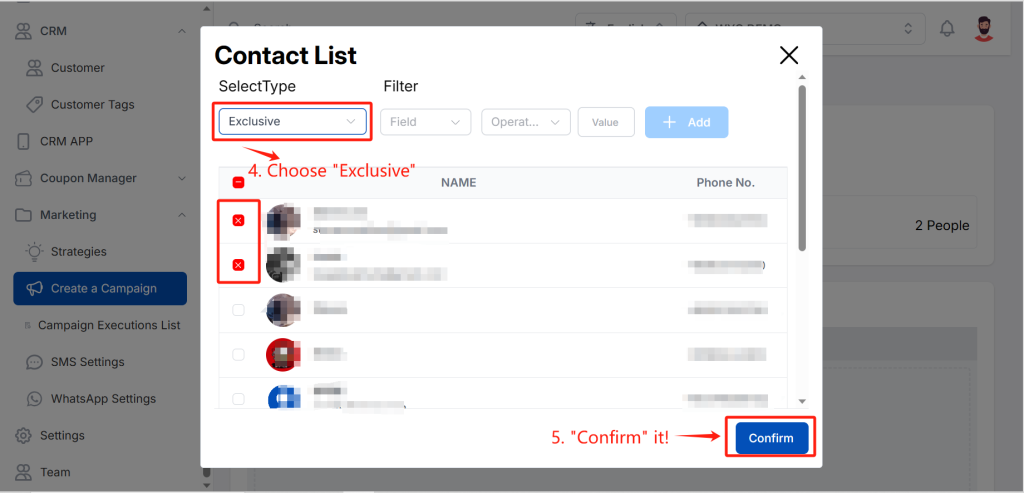
Then, a Contact List will offer you a trio of Select Type to choose from: “All”, “Inclusive”, and “Exclusive”.
- “All” signifies that you intend to include all customers.
- “Inclusive” means simply pick the desired customers.
- “Exclusive” allows you to exclude the customers you do not wish to include.
And there are some key fields to consider when filtering customers:
- Birth Date
- Credit
- Spending
- Point
- ……